
Arctic Fox Pureview Transparent Mouse India — A See-Through Mouse That Actually Works?
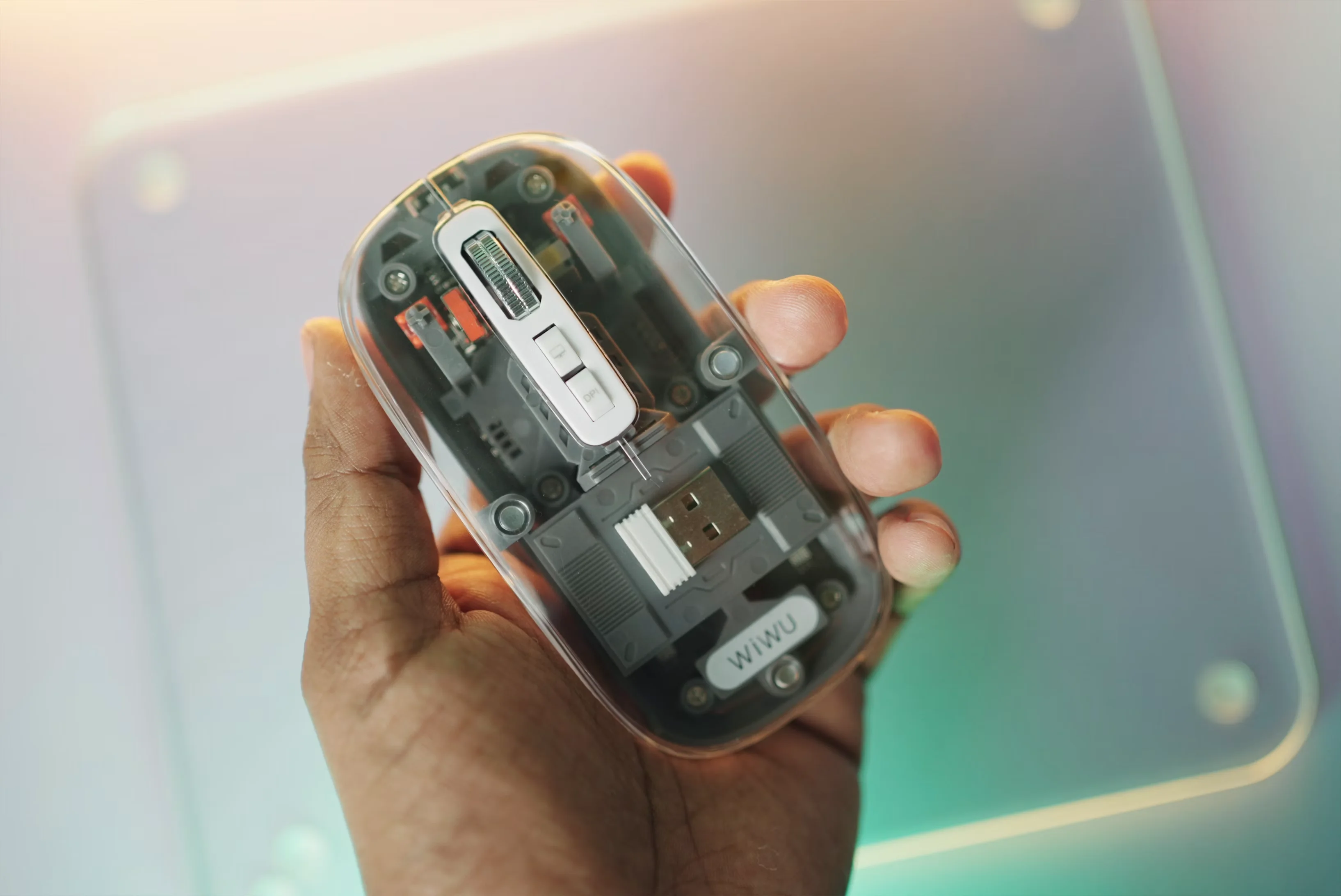
The Arctic Fox Pureview is a transparent wireless mouse from Bengaluru-based Outshiny India — triple-mode connectivity (BT 5.1 × 2 + 2.4GHz), four DPI levels, and a 30-day rechargeable battery at ₹649. We tested it for daily WFH and office use to see if the feature count holds up beyond the spec sheet.
In This Article
Key Highlights
₹649 — transparent polycarbonate shell you can see through
Triple-mode connectivity: BT 5.1 × 2 + 2.4GHz dongle
Four DPI levels (800/1200/1600/2400)
30-day rechargeable battery (400mAh, USB-C)
Made by Outshiny India (Bengaluru) with 1-year warranty
Connectivity
Triple Mode — BT 5.1 × 2 + 2.4GHz USB
DPI Range
800 / 1,200 / 1,600 / 2,400 DPI
Battery Life
400mAh rechargeable / up to 30 days
Hand Orientation
Ambidextrous
Wireless Range
10 metres (Bluetooth)
Pros
- Triple-mode — BT 5.1 × 2 + 2.4GHz, three devices without re-pairing
- Built-in 400mAh rechargeable battery — no disposable batteries
- 30-day battery life rated; hibernation mode extends it further
- 1-year local warranty with domestic servicing
- Ambidextrous, lightweight 110g build
- Boss Key for instant desktop switch on Windows
Cons
- Boss Key not compatible with Mac OS
- 2,400 DPI maximum — not suitable for gaming or graphic design
- 4-segment LED battery indicator — no precise percentage readout
Our Verdict
At ₹649 with triple-mode wireless, a built-in rechargeable battery, and domestic warranty support, the Arctic Fox Pureview is exceptional value for Indian office and WFH buyers. The transparent design is a style bonus; the Boss Key Mac limitation is the only meaningful caveat.
At ₹649, the Arctic Fox Pureview is an unusual mouse for India: triple-mode wireless connectivity, a built-in rechargeable battery, and a transparent polycarbonate shell that lets you see straight into the internals. It's made by Outshiny India — a Bengaluru-based brand — and backed by a 1-year local warranty.
We ran it through a week of mixed WFH and office sessions — spreadsheets, video calls, browser-heavy workflows, and the occasional late-night scroll — to see if the feature count holds up beyond the spec sheet.
Design: The Transparent Shell
Build and Ergonomics
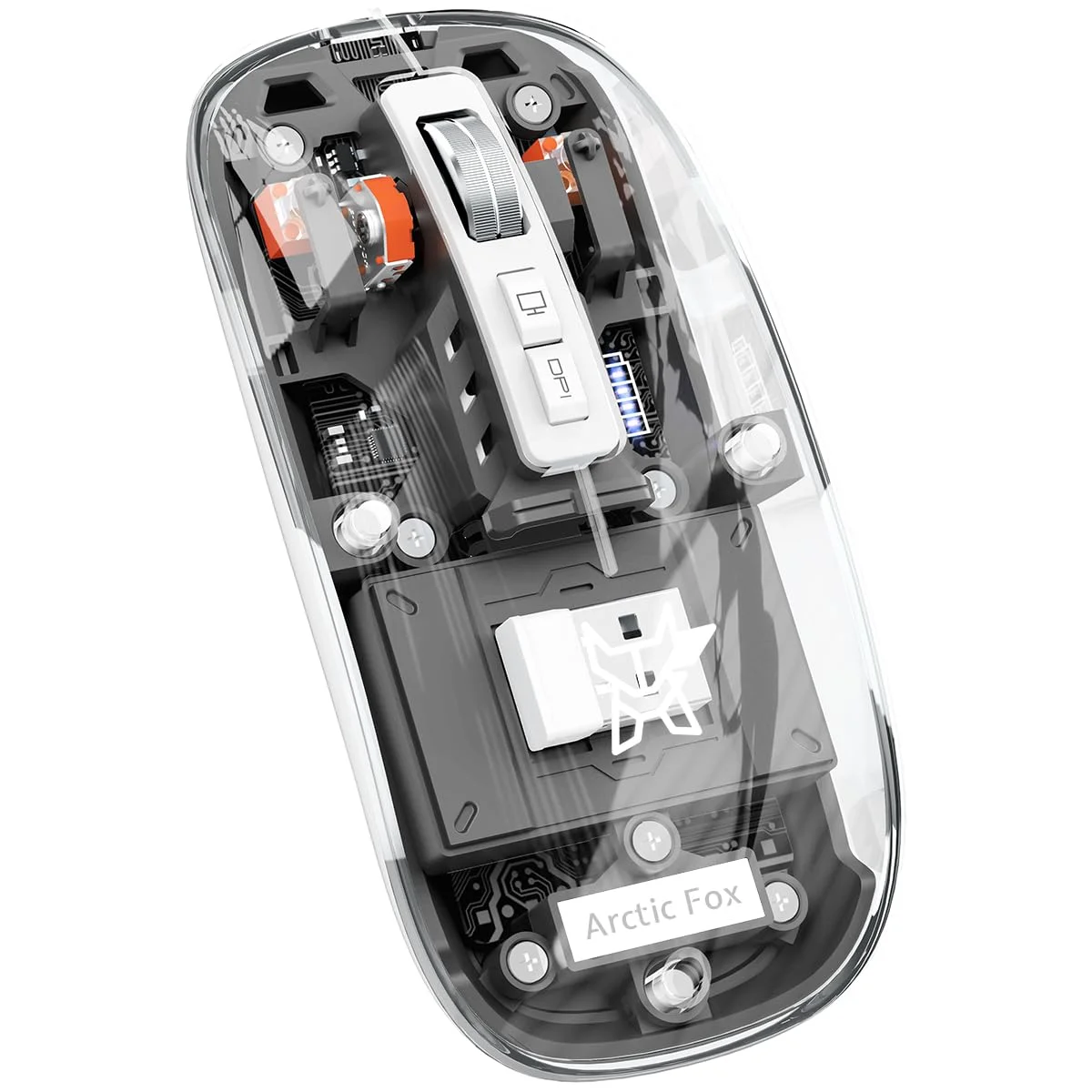
The see-through shell is the first thing people notice. The circuit board, the scroll wheel mechanism, and the LED battery indicators are all visible through the polycarbonate body. It's a deliberate design choice, and it's executed cleanly — the plastic feels solid and doesn't flex under grip.
The form factor is compact: 11.3 × 5.7 cm and 110 grams. That's light enough to carry in a laptop bag without noticing, and the ambidextrous shape works for both left-handed and right-handed users. Smooth transparent surfaces attract fingerprints, but a microfibre wipe cleans them in seconds.
Triple-Mode Connectivity
Switching Between Three Devices
The Pureview pairs to three devices — two via Bluetooth 5.1 and one via the bundled 2.4GHz USB receiver. A single button on the underside cycles through them. All three pairings stay saved, so switching is instant with no re-pairing required.
The practical setup most Indian buyers will use: work laptop on BT Channel 1, personal laptop or iPad on BT Channel 2, and a desktop or shared office PC on the 2.4GHz receiver. For anyone toggling between a work device and a personal device throughout the day, this removes the need to physically disconnect and reconnect anything.
The 2.4GHz mode has noticeably lower latency than Bluetooth and is the better choice for fast scrolling or sustained clicking. Bluetooth 5.1 is stable and fine for document navigation, browser use, and video calls. Setup on 2.4GHz is plug-and-play — no drivers, no software. Rated range is 10 metres, which covers any Indian home office setup with room to spare.
Compatibility spans Windows 8/10/11, Mac OS, iOS 13 and above, and Android. The iPad compatibility is genuinely useful — the Pureview pairs over BT and works with iPadOS as a standard pointer device.
DPI and Optical Tracking
The optical sensor offers four DPI steps: 800 / 1,200 / 1,600 / 2,400. For standard office work — spreadsheets, document editing, browser tabs — 1,200 DPI is the daily sweet spot. The 800 setting suits smaller laptop screens; 2,400 DPI is available for fast cursor sweeps on large monitors.
The sensor tracks reliably on all standard mouse pads and flat surfaces, including the coarse desk surfaces common in Indian offices. There's no software for custom profiles or polling rate control, which is expected at this price. For office use, the four fixed DPI steps cover everything you realistically need.
Battery: 30 Days, No AA Batteries
A 400mAh built-in battery charges via USB and lasts up to 30 days on a full charge under typical use. In our week-long testing across 6–8 hour daily sessions, the battery level barely shifted from its starting point.
The four-segment LED grid on the underside shows approximate charge level when the mouse is lifted. It's not a precise percentage, but it's enough to plan when you need to plug in — and the USB cable means you can charge it from any laptop port, power bank, or wall adapter.
The hibernation mode activates after a period of inactivity and responds immediately to the next click. Not having to stock AA or AAA batteries is a small but real quality-of-life improvement for buyers who've run dry on batteries mid-workday — a genuinely common Indian office scenario.
Boss Key and LED Indicator
The Boss Key — a dedicated button in the top-right corner — minimises all open windows and shows the desktop with one press. It's functionally identical to the Windows + D keyboard shortcut, useful for quickly clearing your screen before a colleague or manager sees what you're working on.
One important caveat: the Boss Key does not work on Mac OS. Windows 8, 10, and 11 get full functionality; Mac users get a button that does nothing. If your primary device is a MacBook, factor this in — you're buying four fewer functional buttons than a Windows user.
The real-time 4-grid battery display is visible from the front LED window when the mouse is active — a small touch that makes the transparent design functional rather than purely aesthetic.
Wireless Mouse Buying Guide for Indian Work Setups
WFH vs Office Use
For home office setups, the triple-mode connectivity is the standout reason to buy. If you have a work laptop, a personal laptop, and a tablet or desktop, the Pureview handles all three from one device — no extra dongles, no swapping receivers.
For traditional shared-office environments, the 2.4GHz USB mode is the most reliable option. Plug the receiver into a desk PC and it works without any configuration. The transparent design also reads as intentional and design-forward on a clean desk rather than generic. If you like a desk that looks considered, a glowing acrylic LED planner makes a natural companion piece.
If you're building a fully wireless desk setup, pairing this mouse with quality wireless earbuds removes the last cables from your table. See our best wireless earbuds in India picks for options across ₹1,500 to ₹8,000.
Wired vs Wireless at ₹649
A basic wired mouse from a recognisable brand costs ₹200–₹400 in India. For ₹250–₹450 more, the Pureview adds triple wireless modes, a rechargeable battery, four DPI levels, and a Boss Key. For anyone who regularly moves between two or more devices, the gap pays for itself within a week of use.
For travel-heavy buyers, note that the mouse charges via USB — the same cable type as most Indian laptops and the same port available on portable chargers. See our best power banks in India guide for compact options that charge both your mouse and your phone on the go.
The Verdict
The Arctic Fox Pureview delivers a lot for ₹649. Triple-mode wireless, a built-in rechargeable battery rated for 30 days, ambidextrous design, 2,400 DPI optical tracking, a Boss Key, and a live battery indicator — from a brand manufactured and warranted in India. The transparent look is a style choice buyers will either like or not, but it doesn't compromise anything practical. The only real limitations are the Boss Key's Mac incompatibility and the 2,400 DPI ceiling, neither of which affects the core office and WFH use case this mouse is built for.
Frequently Asked Questions
How many devices can the Arctic Fox Pureview connect to at once?
The Arctic Fox Pureview supports three simultaneous paired devices — two via Bluetooth 5.1 and one via the included 2.4GHz USB receiver. Switch between them using the button on the underside of the mouse. All three connections are stored permanently, so switching is instant and doesn't require re-pairing. For Indian buyers who work across a laptop, a desktop, and a tablet, this removes the need to disconnect and reconnect each time you change devices.
Does the Arctic Fox Pureview work with a MacBook?
Yes — the Pureview connects to MacBooks via Bluetooth 5.1 and works as a standard wireless mouse on Mac OS. DPI switching, triple-mode connectivity, and the rechargeable battery all function normally on Mac. The one exception is the Boss Key button, which is not compatible with Mac OS and does nothing when pressed. If you primarily use a MacBook and were counting on that feature, it won't be available. All other functions work without any drivers or software installation.
What is the battery life of the Arctic Fox Pureview?
Arctic Fox rates the built-in 400mAh rechargeable battery at up to 30 days of typical use on a single charge. The mouse charges via a standard USB cable (included) and can be topped up from any laptop USB port, wall adapter, or power bank. A four-segment LED grid on the underside of the mouse shows approximate battery level. An automatic hibernation mode reduces power drain during idle periods and wakes instantly with the next button press or movement.
Is the Arctic Fox Pureview suitable for gaming?
The Pureview is designed for office and WFH use, not gaming. Its optical sensor tops out at 2,400 DPI, which is the minimum most serious gaming mice start at — competitive gaming typically requires 5,000 DPI or higher, along with high polling rates (1,000Hz+) and software macro support. None of these are available on the Pureview. For casual gaming between work sessions, it performs acceptably. For daily gaming or any competitive play, a dedicated gaming mouse is the right choice for Indian buyers.
Is the Arctic Fox Pureview an Indian brand?
Yes — the Arctic Fox Pureview is manufactured and packed by Outshiny, which means the 1-year warranty is serviced domestically without the complications that parallel imports can bring. The ASIN on Amazon India is B0CP9NSXYJ. For Indian buyers, this is a meaningful advantage over similarly priced imported mice that route warranty claims through overseas service centres.
A Transparent Mouse With Indian Warranty?
The Arctic Fox Pureview is a see-through wireless mouse with dual-mode connectivity, silent clicks, and local after-sales support in India.
Check Arctic Fox Pureview Mouse on Amazon